
prof

From Reactive to Proactive: Building an IT Infrastructure That Anticipates Problems Instead of Chasing Them

Most IT departments operate in perpetual crisis mode—constantly firefighting emergencies, responding to outages, and addressing user complaints. This reactive approach is exhausting, expensive, and ultimately ineffective. Organizations trapped in reactive cycles spend 60-70% of IT resources on maintenance and incident response, leaving minimal capacity for strategic initiatives. The alternative? Proactive IT management that identifies and resolves issues before they impact operations.

The Cost of Reactive IT Management

Quantifying Reactive Waste

  • Average unplanned downtime cost: $5,600 per minute
  • IT staff overtime due to emergency responses: 15-25% of total compensation
  • User productivity losses during incidents: $2,000 per employee annually
  • Reputation damage from service disruptions: incalculable

The Reactive Cycle
Problem occurs → Emergency response → Temporary fix → Resume normal operations → Repeat. This pattern prevents systemic improvements and perpetuates underlying issues.

Five Pillars of Proactive IT Infrastructure 

1. Predictive Monitoring and Analytics
Modern monitoring tools don’t just alert when things break—they predict failures before occurrence.

Key Capabilities:

  • Server performance trending identifying capacity limits 3-6 months before impact
  • Network traffic analysis detecting anomalies indicating security threats or configuration issues
  • Application performance monitoring catching degradation before user impact
  • Hardware health monitoring predicting drive failures, power supply issues, and component degradation

Real-World Impact:
Organizations implementing predictive monitoring report 89% reduction in unplanned outages and 67% decrease in emergency IT spending.

2. Automated Maintenance and Patching
Manual updates create vulnerabilities and consume enormous staff time. Automation ensures consistent, timely maintenance without human intervention.

Implementation Strategy:

  • Patch management platforms apply security updates during maintenance windows
  • Configuration management ensuring systems maintain optimal settings
  • Automated backups with verification testing
  • Self-healing systems correcting common issues without human intervention

3. Capacity Planning and Scalability
Reactive organizations constantly face capacity crises. Proactive infrastructure anticipates growth and scales accordingly.

Planning Framework:

  • Quarterly capacity reviews analyzing usage trends
  • Automated alerting when resources reach 70% utilization (not 95%)
  • Cloud integration enabling rapid scaling for unexpected demand
  • Financial forecasting aligning capacity investments with business growth

4. Comprehensive Documentation and Knowledge Management
Proactive organizations document everything, creating institutional knowledge that prevents repeated mistakes.

Essential Documentation:

  • Network diagrams and infrastructure maps
  • Configuration baselines for all systems
  • Standard operating procedures for common tasks
  • Incident post-mortems identifying root causes and preventive measures
  • Vendor relationships and support contacts

5. Regular Testing and Validation
Assumptions kill uptime. Proactive organizations continuously test backup systems, disaster recovery plans, and redundancy mechanisms.

Testing Cadence:

  • Monthly backup restoration tests
  • Quarterly disaster recovery simulations
  • Semi-annual security assessments and penetration testing
  • Annual business continuity exercises

Technology Enablers for Proactive Management 

Infrastructure Monitoring Platforms
Comprehensive solutions providing unified visibility across on-premises, cloud, and hybrid environments. Leading platforms offer:

  • Real-time performance dashboards
  • Predictive analytics and AI-driven insights
  • Automated remediation for common issues
  • Integration with ITSM ticketing systems

ITSM and Asset Management
Proper asset tracking prevents surprise failures. When you know hardware age, warranty status, and lifecycle position, replacements happen proactively rather than reactively.

Security Information and Event Management (SIEM)
Proactive security means detecting threats before they cause damage. SIEM platforms aggregate logs, identify suspicious patterns, and enable rapid response to potential incidents.

Configuration Management and Automation
Tools like Ansible, Puppet, or Chef ensure systems maintain proper configurations, automatically correcting drift before it causes problems.

Building Your Proactive IT Roadmap 

Phase 1: Assessment and Baseline (Weeks 1-4)
Document current state, identify reactive patterns, and establish metrics for improvement.

Key Metrics:

  • Mean Time Between Failures (MTBF)
  • Mean Time To Repair (MTTR)
  • Planned vs. unplanned work ratio
  • Emergency change frequency

Phase 2: Quick Wins (Weeks 5-8)
Implement high-impact, low-effort improvements demonstrating immediate value:

  • Basic monitoring and alerting
  • Automated backup verification
  • Documentation of critical systems
  • After-hours on-call reduction

Phase 3: Platform Implementation (Weeks 9-16)
Deploy comprehensive monitoring, automation, and management platforms.

Phase 4: Process Maturity (Weeks 17-26)
Develop proactive processes, train team members, and establish continuous improvement cycles.

Phase 5: Optimization and Refinement (Ongoing)
Continuously refine predictive capabilities, expand automation, and drive toward fully proactive operations.

Cultural Transformation: From Hero Culture to Systematic Excellence (300 words)

Reactive IT departments often celebrate “heroes” who work weekends fixing crises. Proactive organizations recognize that preventing fires is more valuable than extinguishing them.

Shifting Mindset:

  • Reward problem prevention, not just problem solving
  • Allocate time for proactive work—20% of capacity minimum
  • Celebrate “boring” weeks where nothing breaks
  • Invest in training and skill development
  • Document and share knowledge systematically

Measuring Proactive Success 

Key Performance Indicators:

  • Proactive vs. reactive work ratio (target: 70% proactive)
  • Mean Time Between Failures (increasing trend)
  • Unplanned downtime (decreasing trend)
  • Emergency change requests (decreasing trend)
  • User satisfaction scores (increasing trend)
  • IT staff overtime hours (decreasing trend)

Conclusion 

Transitioning from reactive to proactive IT management requires investment in tools, processes, and culture. However, the payoff—reduced downtime, lower costs, and strategic capacity—makes this transformation essential for competitive organizations

lal

Why Composable Commerce Is the Future of Retail & eCommerce Engineering

Retail & eCommerce companies are experiencing extreme
volatility—seasonal spikes, evolving consumer expectations, fragmented
channels, and rapid technology shifts.

Monolithic commerce architectures cannot keep pace.

This is why companies are moving toward headless +
composable commerce
.


1. Faster Innovation Cycles

Front-end and back-end detach completely.
Teams ship UI/UX updates weekly without touching checkout, payments, catalog,
or inventory.


2. Omnichannel Experience Becomes Native

Composable commerce powers:

  • Mobile apps
  • Web storefronts
  • In-store kiosks
  • Marketplaces
  • Social commerce

All are using the same backend.


3. Personalization Becomes Easier with AI

AI-driven:

  • Recommendations
  • Search ranking
  • Cart recovery
  • Promotions

integrate cleanly into a modular architecture.


4. Independent Scalability

High-load areas like checkout or search can scale
independently, without increasing infrastructure cost everywhere.


5. Vendor Flexibility

You are no longer tied to:

  • A single CMS
  • A single payment gateway
  • A single search engine
  • A single recommendation engine

The system becomes an ecosystem.


Conclusion


Composable commerce is not a trend—it’s the operating system
for modern retail. Companies that adopt it now will stay ahead in personalization, speed, and engineering agility.

layer

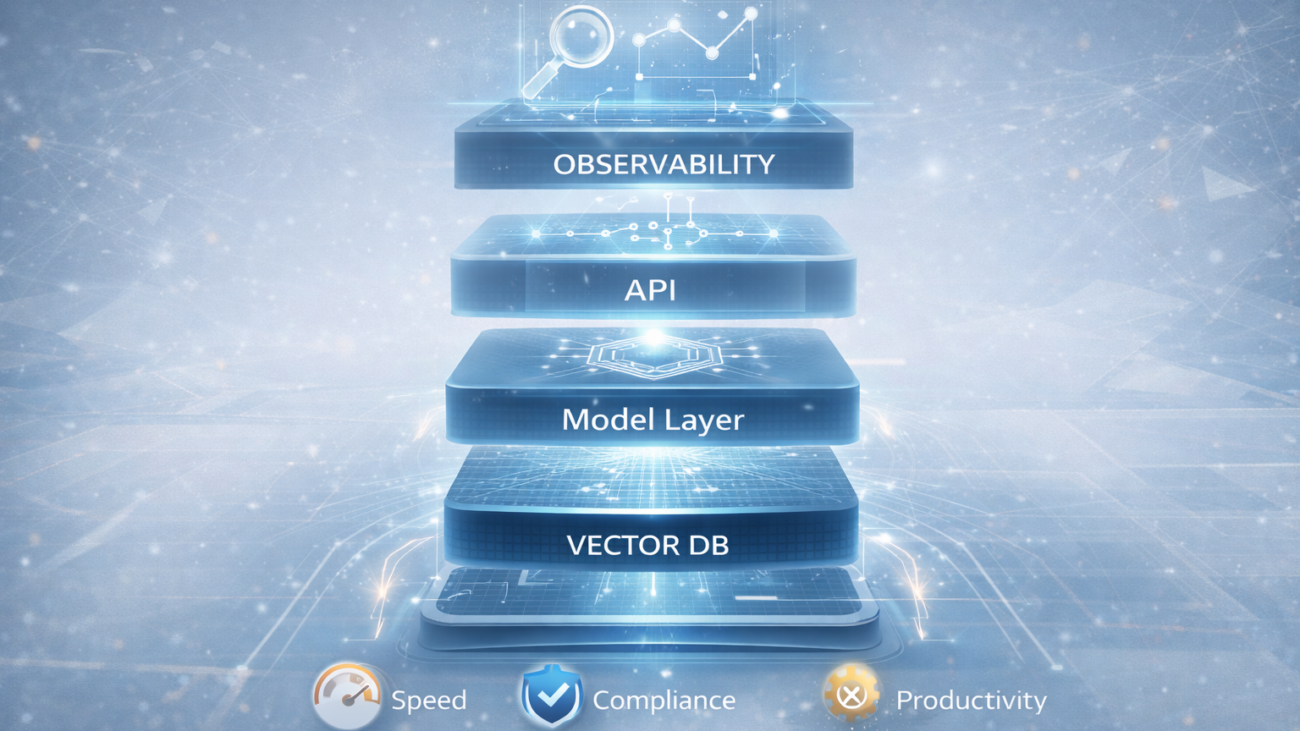
7 Architecture Principles Every Modern AI-Enabled Platform Must Follow

AI adoption is accelerating across industries—healthcare,
logistics, retail, education, media, and manufacturing. But most AI projects fail
not because of the model…
but because the architecture is not designed for AI-readiness.

Below are seven architecture principles we apply when
building scalable AI-enabled platforms.


1. Event-Driven Data Ingestion

Batch pipelines slow down AI’s ability to generate real-time
insights.
Event-driven design using Kafka, RabbitMQ, SNS/SQS, or WebSockets allows
continuous learning and instant updates.


2. A Unified Feature and Vector Store

LLMs and ML workloads require:

  • Efficient embeddings
  • Semantic search
  • Unified data retrieval
  • Context-aware information

Vector DBs (like Pinecone, Chroma, Weaviate) are becoming
essential.


3. Model Agnostic Inference Layer

Your architecture should allow switching between:

  • GPT
  • Llama
  • Mistral
  • Custom fine-tuned models
  • Domain-specific models

Vendor lock-in kills innovation.


4. Security & Compliance in the Pipeline Itself

For regulated industries:

  • PHI masking
  • Audit logs
  • Zero-trust auth
  • Encrypted in-flight context
  • Role-based access

AI must be HIPAA, SOC-2, or GDPR aligned from day one.


5. Observability + Feedback Loops

AI systems degrade without monitoring. 

Platforms need:

  • Drift detection
  • Latency monitoring
  • Quality scoring
  • Human-in-the-loop feedback
  • Version control for prompts + models
 

6. Microservices + API-First Design

AI workloads should integrate seamlessly across channels—mobile, web, analytics, and dashboards.


7. Cost-Aware Architecture

AI workloads can explode cloud bills. 

Practical strategies include:

  • Token optimization
  • Cached embeddings
  • Smaller fine-tuned models
  • Hybrid inference
 

Conclusion

Every industry wants AI—but the winners will be those who build AI-first architectures, not “AI-attached” systems. This is where engineering maturity matters.

ChatGPT-Image-Dec-17-2025-03_42_05-PM

“The Hidden Cost of IT Complacency: Why ‘If It Ain’t Broke’ Is Breaking Your Business”

Every business leader has heard the phrase “if it ain’t broke, don’t fix it.” In IT infrastructure, this mindset isn’t just outdated—it’s dangerous. While your aging systems may still technically function, they’re silently draining resources, creating security vulnerabilities, and limiting your competitive advantage. Recent studies show that companies spending over 70% of their IT budgets on maintenance rather than innovation fall behind competitors by an average of 23% in market share growth.

The Real Numbers Behind IT Complacency

  • Average cost of maintaining legacy systems: 15-20% higher annually than modern alternatives
  • Security vulnerability increases by 300% for systems over 5 years old
  • Employee productivity losses due to outdated technology: 18 hours per month per employee
  • Customer satisfaction drops by 31% when businesses fail to modernize digital touchpoints

Five Hidden Costs You’re Already Paying

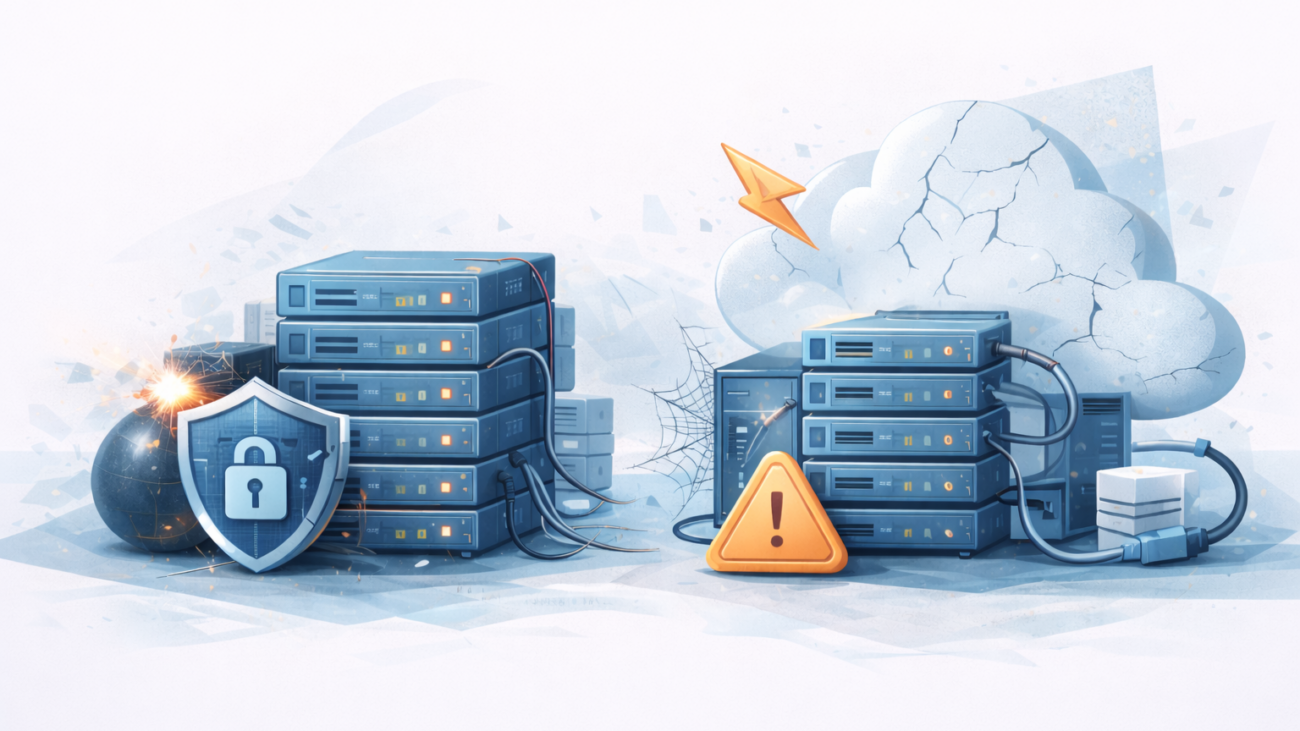
1. The Security Time Bomb
Legacy systems lack modern security protocols. Every day your outdated infrastructure remains operational, you’re vulnerable to increasingly sophisticated cyber threats. Healthcare organizations running outdated EHR systems, for instance, face 67% higher breach risks.

2. Talent Drain
Top IT professionals want to work with modern technologies. Companies stuck on legacy systems struggle to attract and retain skilled talent, leading to knowledge gaps and increased turnover costs.

3. Integration Impossibility
Modern business tools don’t play well with legacy systems. You’re either paying premium prices for custom integrations or missing out on productivity-enhancing tools entirely.

4. Scale Limitations
When growth opportunities arise, outdated infrastructure becomes a bottleneck. Businesses report average delays of 6-8 months when scaling operations are hampered by legacy systems.

5. Compliance Landmines
Regulatory requirements evolve faster than legacy systems can adapt. Industries facing stringent compliance-healthcare, finance, retail-risk substantial penalties.

The Path Forward: Strategic Modernization (500 words)

Assessment Phase
Begin with comprehensive infrastructure auditing. Identify systems approaching end-of-life, security vulnerabilities, and integration pain points.

Prioritization Matrix
Not everything needs immediate replacement. Use a risk-versus-benefit framework:

  • High risk, high benefit: Immediate priority
  • High risk, low benefit: Schedule for near-term replacement
  • Low risk, high benefit: Strategic upgrade path
  • Low risk, low benefit: Monitor and maintain

Phased Implementation
Avoid the “rip and replace” trap. Successful modernization happens incrementally, maintaining business continuity while upgrading infrastructure.

Industry-Specific Considerations

Healthcare: Focus on HIPAA compliance, EHR integration, and telehealth capabilities
Retail/eCommerce: Prioritize PCI compliance, omnichannel integration, and scalable cloud infrastructure
Finance: Emphasize data security, disaster recovery, and regulatory compliance automation

Conclusion

The question isn’t whether to modernize your IT infrastructure, but when and how. Every day of delay compounds costs, risks, and missed opportunities. Strategic modernization transforms IT from a cost center into a competitive advantage.

gcc

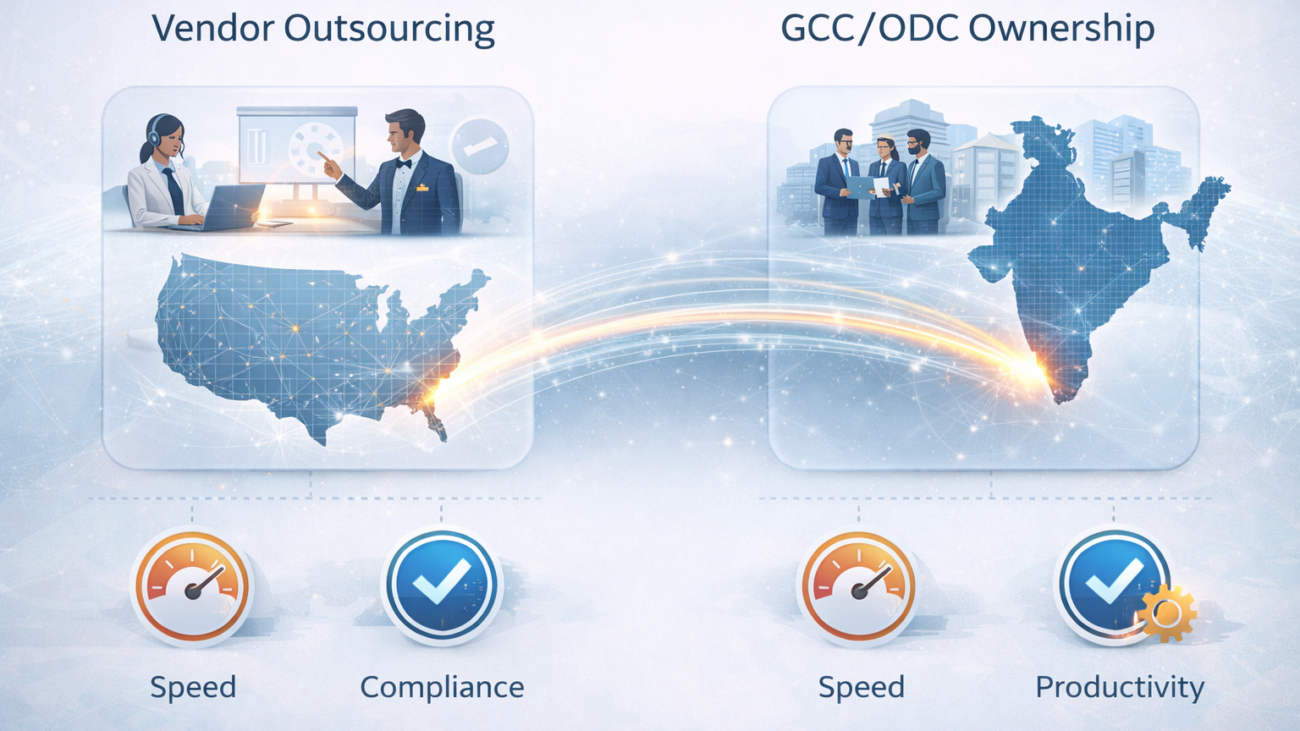
Why US Companies Are Moving from Outsourcing to GCCs: The 2026 Engineering Strategy Shift

For more than a decade, US companies have relied on outsourcing
to scale engineering. The model served its purpose—lower cost, faster hiring,
task-based execution. But in 2026, a clear shift is unfolding: companies are
moving from outsourcing to building GCCs (Global Capability Centers) in India.

This shift is not driven by cost.
It is driven by capability, ownership, compliance, and velocity.

1. Why Outsourcing Is a Losing Fit for Modern Product Development

Product companies today operate with:

  • Agile cycles are released weekly
  • Complex integrations
  • Real-time systems
  • Rapid shifts in market needs
  • High expectations on security and compliance

Outsourced teams struggle with:

  • Lack of product ownership
  • Ticket-based delivery
  • Shallow domain immersion
  • Slow feedback loops
  • High dependency on coordination

When innovation cycles shrink, the vendor model slows Companies down.

2. GCCs Create Ownership, Proximity, and Strategic
Alignment

A GCC behaves like an extension of the core product team. It is not a vendor. It is your own team, operating from India.

Benefits include:

  • Full-time engineers embedded in product thinking
  • Leadership alignment across engineering + product
  • Ability to scale to 50, 100, 200+ engineers
  • Consistent engineering culture
  • Predictable long-term velocity

This is why companies in healthcare, SaaS, logistics, and retail are adopting the model aggressively.


3. India Has Become the Global Engineering Capital

India now offers:

  • The largest engineering talent pool in the world
  • Deep expertise in AI, cloud, mobility, DevOps, and platform engineering
  • Leadership-level capability for product roles
  • Mature compliance and security frameworks

Companies that once worked with 1–2 vendors are now setting
up their own dedicated GCCs in India to secure a long-term talent advantage.


4. Healthcare, Logistics, Retail, EdTech Are Leading the
Adoption

Industries with heavy compliance, data sensitivity, and
Rapid evolutions are accelerating GCC adoption:

  • Healthcare → PHI security, telehealth, EHR modernization
  • Logistics → IoT pipelines, real-time tracking
  • Retail → composable commerce, AI-driven personalization
  • Education → adaptive learning systems

A GCC offers strategic depth that outsourcing simply cannot.


5. The GCC Playbook for 2026

Companies building GCCs successfully follow 5 steps:

  1. Define engineering vision & capability roadmap
  2. Set up leadership pods + team pods
  3. Establish governance, metrics, and product alignment
  4. Implement a strong DevOps + security foundation
  5. Scale with repeatable hiring + KT frameworks

Resilience InfoTech has deployed this model for multiple US
Companies—one scaling from 6 to 150+ engineers in under two years.


Conclusion

The shift from outsourcing to GCCs is not a trend—it is a
fundamental upgrade in how engineering organizations scale.
Companies who adopt it early will gain an advantage in speed, capability,
and product maturity